

Better Spatial Monitoring and Better Alert Delivery
This release focuses on two high-impact workflows:
- Understanding robot and fleet behavior in space, faster.
- Delivering incidents to the channels your team already watches.
The result is a tighter loop from detection to diagnosis, with less configuration friction and less operational lag.
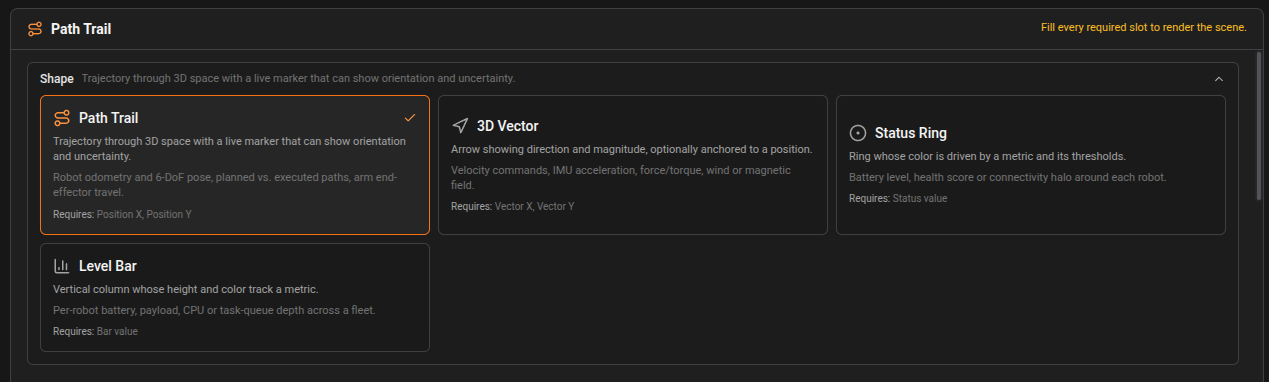
A New 3D Panel Workflow: Shape First, Then Data
Our 3D panel has been refactored around intent.
Before, teams had to translate telemetry into generic coordinate queries and manually infer semantics. Now, you begin by choosing what you want to see, then map data accordingly.
What changed
- Shape-first setup with specialized options such as Path Trail, Vector, Status Ring, and Bar.
- Slot-based query builder with required and optional data slots per shape.
- Better safeguards: required-slot guidance prevents incomplete 3D setups.
- Scene-level controls grouped in one place: shape properties, thresholds, coordinate frame, grid and axes.
This means you spend less time wiring, and more time analyzing.
Static Occupancy Maps Inside the 3D Scene
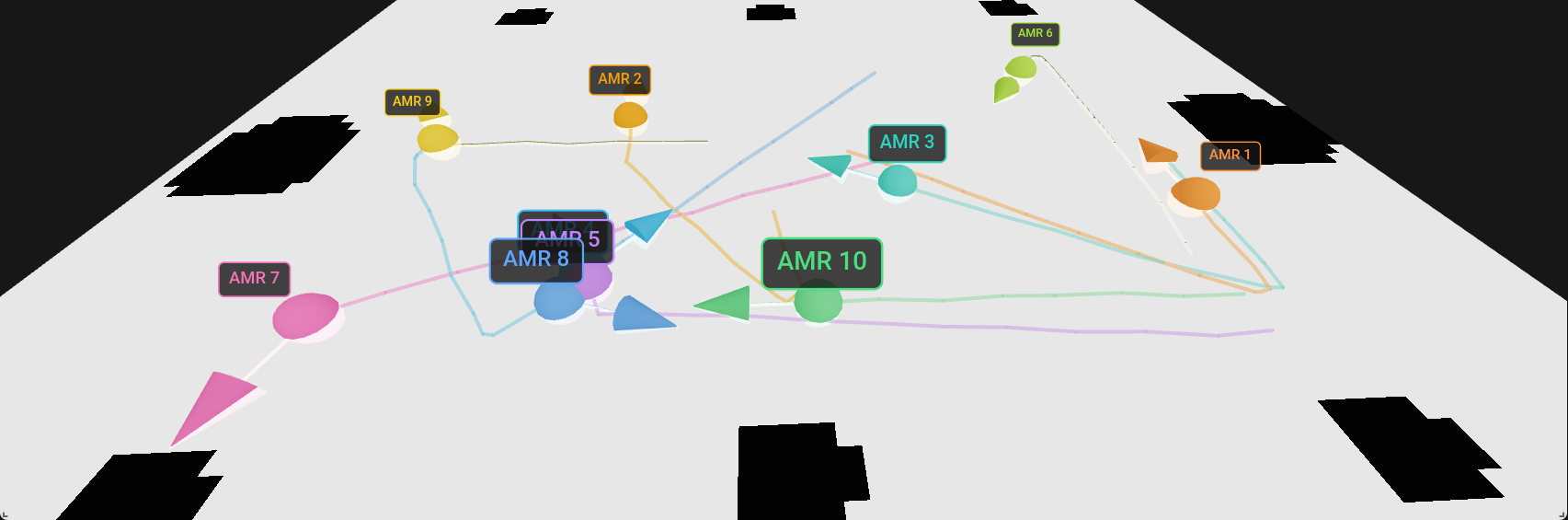
The 3D panel now supports static occupancy-grid map layers, so trajectories and position telemetry can be read against real environment structure.
Why it matters
- Localization and navigation issues are easier to spot.
- Path anomalies are no longer floating in an abstract scene.
- Teams can validate behavior against known map context directly in the dashboard.
You can attach an existing static map or sync a fresh occupancy grid from an online device topic, then tune opacity to balance map readability and live telemetry overlays.
Third-Party Alert Routing: Slack, Telegram, and Teams
Alarms are only useful if they reach the right people in the right place.
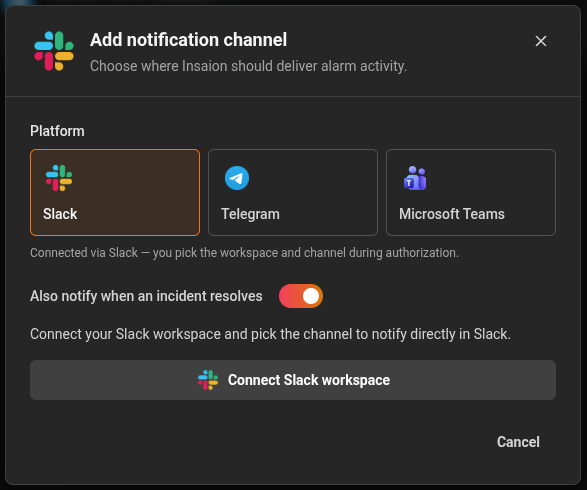
This release introduces organization-level notification channels that can be attached directly to alarm rules.
Included channels
- Slack
- Telegram
- Microsoft Teams
Operational improvements
- Central channel management in settings.
- Test delivery before rollout.
- Per-channel enable or disable control.
- Optional notify-on-resolve behavior for recovery visibility.
- Reusable channels across multiple alarms.
In practice, this reduces missed incidents and shortens reaction time because alerts land where operations and engineering already collaborate.
Alarm Configuration Becomes More Actionable
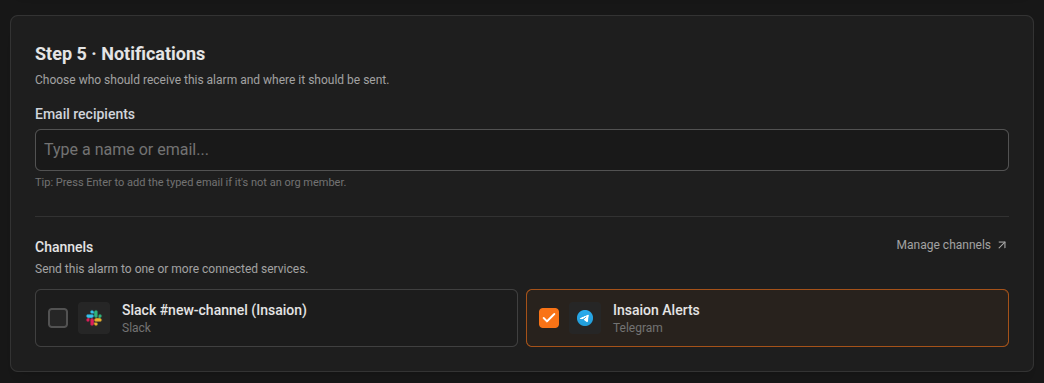
The alarm editor now supports selecting one or more connected channels as part of rule definition.
That keeps escalation logic close to the condition itself: define what should trigger, and who should be notified, in one pass.
Why this release matters
For robotics teams, MTTR depends on two things:
- Context quality during analysis.
- Communication speed during incidents.
This release upgrades both:
- Better context with shape-first 3D scenes and static map grounding.
- Better communication with direct third-party channel routing from alarms.
If you are already using Insaion for monitoring and incident management, you can start using these capabilities immediately from Monitoring and Settings.
Want to adopt this rollout safely across your team? Start by enabling one shared notification channel, then migrate one critical alarm family and one 3D dashboard to the new workflow. That gives you fast value with minimal change risk.