Every robot, live.
Every failure, on record.
Dashboards, recordings, alarms and Copilot. From the simulator to the production fleet.
The architecture of uptime
One agent on the robot. Everything else in the cloud.

Live metrics for every robot
Any topic, any robot, one dashboard.
Zero-config ROS 2
Topics and host metrics discovered automatically. No SDK, no code changes.
Multi-device dashboards
Robots side by side on synchronized time axes.
OpenTelemetry built in
Custom metrics, logs and traces from any official SDK.
History to compare against
Last week, last month, last release.
High-fidelity data, on demand
Record everything on the robot. Upload only what matters.
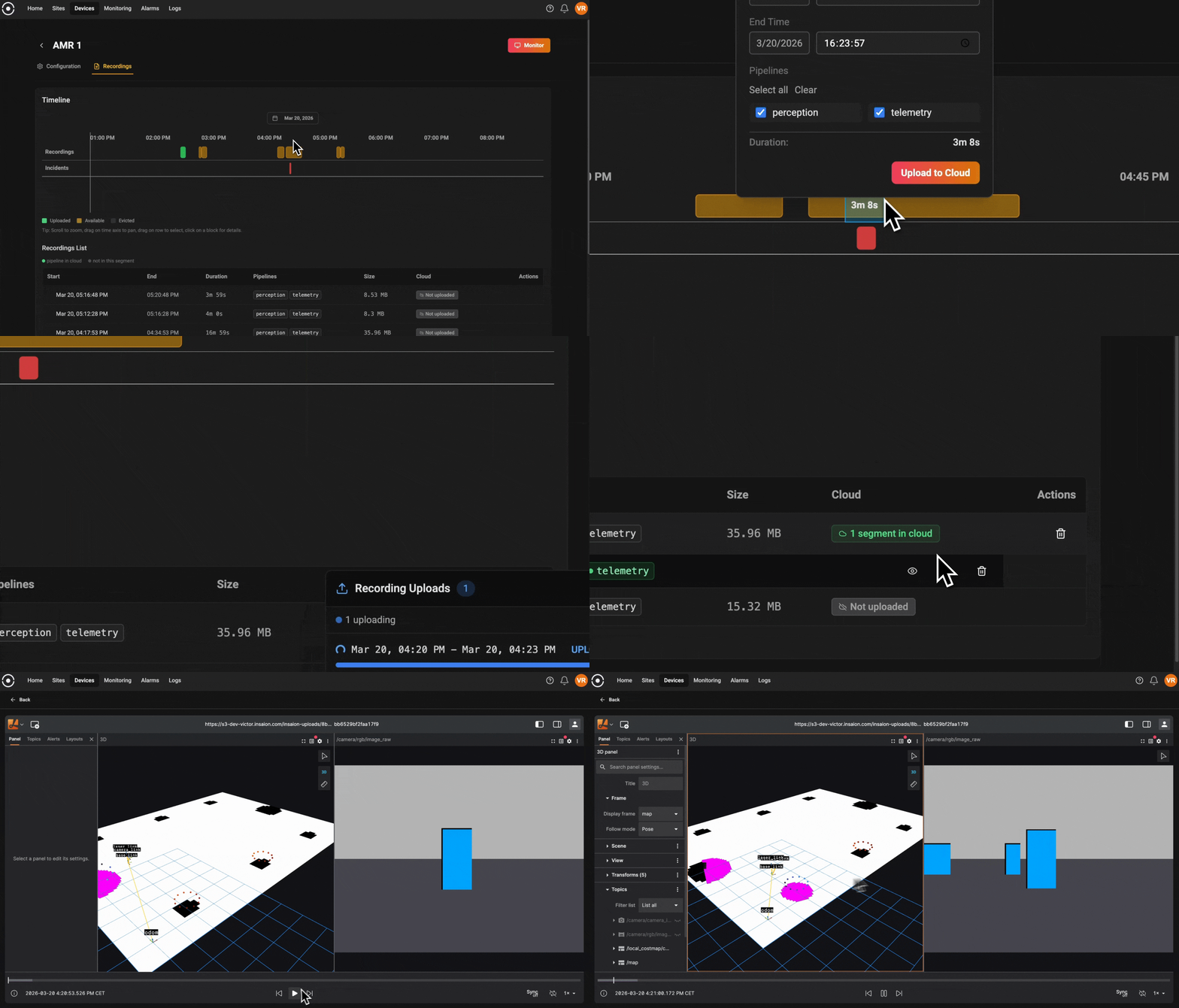
Rolling buffer on the robot
Continuous MCAP inside a fixed disk budget, online or offline.
Surgical cloud sync
Pick the time window. Only that leaves the robot.
Standard MCAP
Replay it in the browser or open it in your own tools.

Powered by ReductStore. Time-series object storage built for the edge, embedded in every agent.
Engineering deep diveStop guessing. Start understanding.
Ask what happened. Copilot does the first pass.
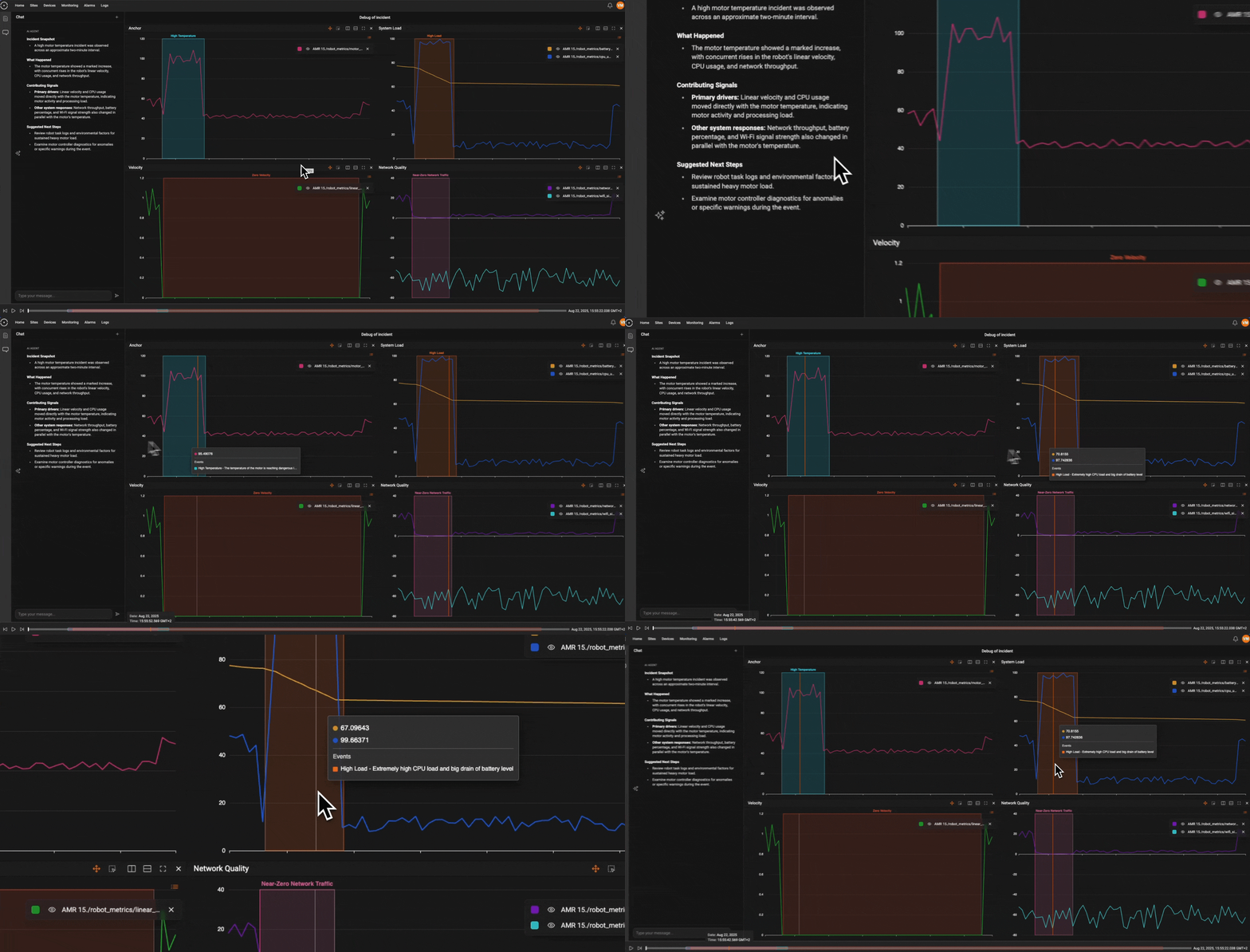
Ask in plain language
“Why did AMR 15 stop?” Get a structured incident report.
Signals, correlated
Velocity, temperature, CPU and network on one timeline.
Next steps, not log dumps
A likely root cause and what to check next.
Into the recording
Copilot requests the MCAP window and, once you approve, analyzes it for the full story.
Never miss a critical event
Rules on any metric. Your team hears first.
Thresholds over time
Conditions on any metric over a time window. Doubles as a pass/fail test.
Where your team works
Email, in-app, Slack, Microsoft Teams or Telegram.
Incident history
Every alarm logged with value, start and duration. Track your MTTR.
Group comparison
Fire when one group of robots drifts from another.
Your whole fleet, one interface
Configure once. Roll out everywhere.
Templates
Define what to monitor once. Apply it to any number of robots.
Auto-updating devices
Change the template and every linked robot follows.
Zero-touch provisioning
Enrollment key in the image. Robots set themselves up on first boot.
Device metadata
Model, firmware, compute and your own fields per robot.
Sites
Robots grouped by customer site, on a map.
Roles
Admin, Member and Viewer for the whole team.
Runs where your robots run
Ubuntu 22.04 to 26.04. ROS 2 Humble to Lyrical.
| Target | systemd | Docker |
|---|---|---|
| Ubuntu22.04 LTS | ||
| Ubuntu24.04 LTS | ||
| Ubuntu26.04 LTS | ||
| ROS 2Humble Hawksbill | ||
| ROS 2Jazzy Jalisco | ||
| ROS 2Kilted Kaiju | ||
| ROS 2Rolling Ridley | ||
| ROS 2Lyrical Luth |
Frequently asked questions
How does Insaion monitor a ROS 2 fleet?
The agent finds every ROS 2 topic the robot publishes and streams it with host metrics to live dashboards, with no SDK or code changes. Telemetry is compressed and spooled to disk during outages, so a flaky cellular link doesn't lose data. Custom OpenTelemetry metrics, logs and traces work too.
How do you record robot data without saturating the network?
The agent writes continuous MCAP to a rolling buffer on the robot with a fixed disk budget, and keeps recording when the network is down. Only the time window you select gets uploaded to the cloud.
What does the Insaion Copilot do?
Copilot triages an incident, correlates the signals around it and proposes a root cause and next steps. It can request the matching MCAP window from the robot, which uploads after a user approves it, and then analyzes the recording itself for further insight into what happened.
Can alarms be used as test assertions?
Yes. An alarm rule is a threshold on a metric over an evaluation window, which is a pass/fail check. Teams use the same rules during QA and soak tests that they later apply in production.
How do I roll Insaion out to a whole fleet?
Put an enrollment key in your robot image. Each new robot registers on first boot and gets your default monitoring template, so there's nothing to configure by hand. The same agent works on simulators, bench hardware and HIL rigs.